
Easy Contacts Manager
Bulk-clean your iPhone contacts — no more deleting them one by one
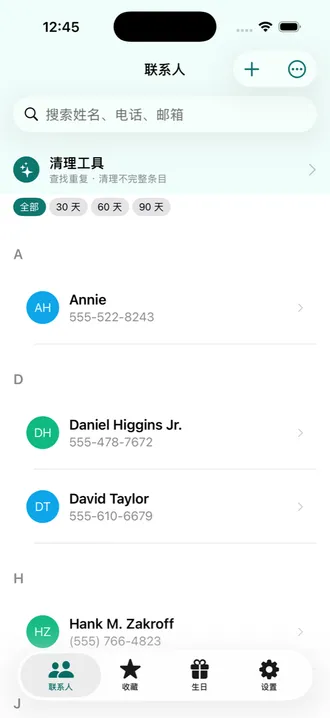
The built-in Contacts app on iPhone has no bulk delete. Clearing out a few hundred stale entries means opening and deleting each one by hand. Easy Contacts Manager exists to fix exactly that: multi-select, bulk delete, find and merge duplicates, and clear out dead entries with no name or no way to reach them — with an automatic vCard backup taken before anything is deleted. No servers, no accounts; your data stays on your device and in your own private iCloud database.
Screenshots
Features
Select many, delete once
Multi-select any number of contacts and delete, favourite or message them in one go. A vCard backup is exported automatically before every bulk delete.
Find and merge duplicates
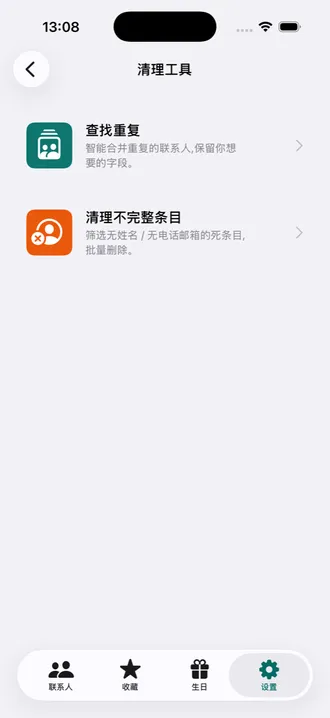
Detect duplicates by name, phone and email across three strictness levels. When merging, pick which value to keep field by field — nothing is overwritten blindly.
Clear out dead entries
Surface contacts with no name, or with neither phone nor email — usually leftovers from old imports — and delete them in bulk once you have reviewed them.
Tags and smart lists
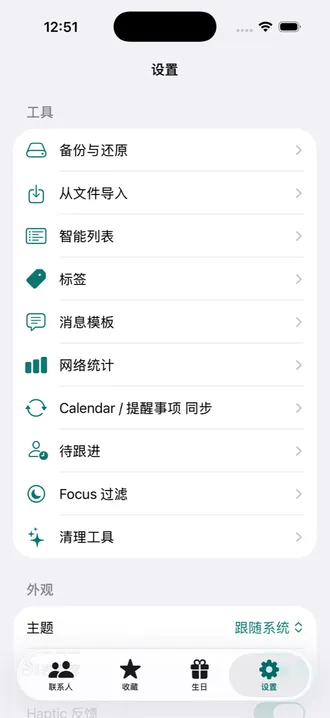
Group contacts with tags. Smart lists maintain themselves from rules you write, so something like "has a company but no email" always stays current.
Scan cards and QR codes
Photograph a business card to pull out name, phone, email, company and job title. Generate and scan vCard QR codes to swap details. All recognition happens on your device.
Birthdays and follow-ups
See birthdays in one place with reminders ahead of time, optionally written to Calendar. Set a follow-up cadence for people who matter and get nudged when it has been too long.
Import, export, back up
Two-way vCard and CSV import and export, with your own column mapping for CSV. Export the whole address book whenever you want a copy.
Everything stays local
No servers, no accounts, no third-party SDKs, and no network requests of our own. Multi-device sync goes only through your own private iCloud database.